
CODM GameLoop Emulator Push Rank: Battle Royale Gameplay on GTX 970
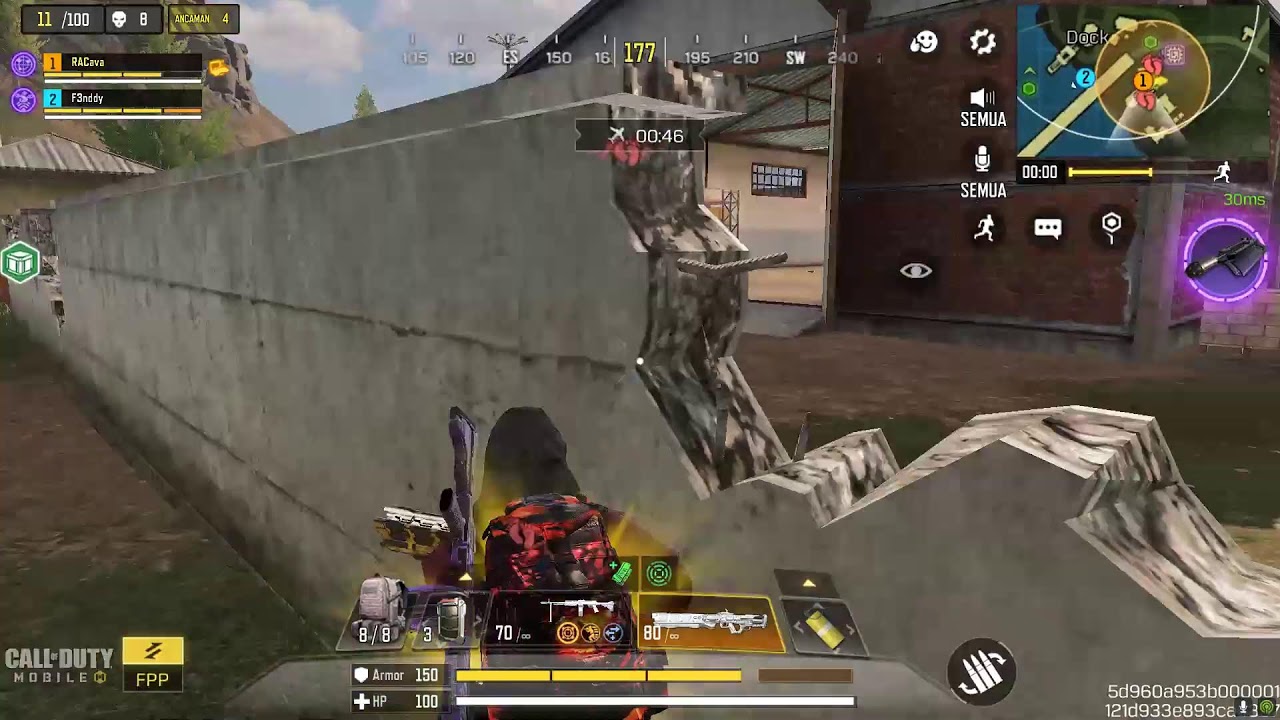 |
| CODM GameLoop Emulator Push Rank: Battle Royale Gameplay on GTX 970 |
Push rank on a phone? Pretty normal. Push rank on a PC using GameLoop? Now we are cooking with a slightly different keyboard.
This ARCava© live session takes Call of Duty: Mobile Battle Royale onto PC through the GameLoop emulator, with one main objective: push the rank and see how far a slightly old-school gaming PC can go without immediately filing for retirement.
The big question is simple: Is CODM easier on PC, or does playing with an emulator simply create a different kind of challenge?
CODM on GameLoop Is Not Just About Having a Bigger Screen
Welcome to another ARCava© live stream. This session focuses on ranked Battle Royale using GameLoop Emulator, and the experience definitely feels different from playing on a phone.
Mouse control can make aiming feel more precise. Keyboard controls provide more flexibility. A larger screen can make visual information easier to read. But none of that means the enemies suddenly become polite.
There is also a common misconception that playing CODM on an emulator automatically makes the game easy. It does not. Emulator players still have to deal with positioning, rotations, timing, map awareness, and opponents who are perfectly capable of turning your ambitious strategy into a loading screen.
A better control setup can improve your mechanical consistency, but it cannot fix bad decisions. If you stand in the wrong place, you can still get deleted with impressive efficiency.
PC Specifications Used for the Live Gameplay
For anyone wondering what kind of hardware is running this CODM GameLoop setup, here is the PC used during the live session:
- GPU: NVIDIA GeForce GTX 970
- CPU: Intel Core i7-4770 @ 3.40GHz
- RAM: 22 GB
Yes, the GTX 970 is no longer the shiny new kid at the gaming hardware party. It has been around long enough to have opinions about modern GPUs.
But with sensible settings and proper optimization, it can still deliver a stable gaming experience. That matters especially in Battle Royale, where the final zone can suddenly become a fireworks festival involving bullets, smoke, explosions, vehicles, and several players who apparently all chose violence as their career path.
Stable FPS is not just about looking pretty. When the fight becomes chaotic, sudden performance drops can directly affect aiming, tracking, movement, and reaction time.
Push Rank Strategy: From Pro V to the Next Tier
This gameplay session focuses on pushing upward from Pro V toward the next rank tier. The objective is not simply to collect as many kills as possible. The bigger goal is consistent placement and survival.
That distinction matters in Battle Royale ranked play. A player who survives deep into the match can often gain more value than someone who collects several early kills and then disappears from the scoreboard before the serious fighting even begins.
The basic strategy is straightforward: rotate before the zone forces you to move, choose sensible landing areas, loot efficiently, and avoid unnecessary fights when there is no meaningful reward for taking the risk.
Weapon choice also matters. You do not always need to copy whatever weapon combination happens to be popular that week. A familiar weapon that fits your personal playstyle can be more useful than a supposedly perfect meta loadout that you barely know how to control.
Communication Still Matters on PC
One of the easiest mistakes in Battle Royale is thinking better hardware means you can play like a superhero.
It does not.
Whether you are playing Solo, Duo, or Squad, communication and information remain extremely important. Knowing where an enemy is located, when to rotate, and when not to fight can matter more than having a slightly faster mouse movement.
In a squad, one player making a completely unnecessary push can turn a comfortable match into a four-person emergency meeting.
So yes, use the keyboard. Use the mouse. Enjoy the bigger screen. Just remember that the keyboard does not come with a built-in button labeled “make better decisions.”
GameLoop Emulator vs Mobile: Which Is Better?
Playing CODM through an emulator offers some obvious advantages. Mouse and keyboard controls can provide more precise input, while a larger display can make distant enemies and movement easier to observe.
But the experience also requires adaptation. Fast mouse movement does not automatically mean fast decision-making.
Battle Royale is full of situations where a decision made two seconds earlier can completely change the outcome. Rotate now or later? Take the fight or disengage? Push the building or hold the ridge?
Those decisions are often more important than the platform you are using.
In other words, the argument should not simply be mobile versus emulator. The more useful question is which setup allows you to play consistently, comfortably, and with enough awareness to make good decisions.
Why Stable Performance Matters for CODM Battle Royale
Emulator gaming can be surprisingly demanding when you combine the game, rendering workload, background applications, recording, and live streaming.
That is why optimization matters. You do not necessarily need every graphical option turned to maximum. Sometimes a stable frame rate with sensible visual settings produces a better competitive experience than beautiful graphics accompanied by random stuttering.
For older gaming PCs, this becomes even more important. A GTX 970 does not need to pretend it is a modern flagship GPU. Give it realistic settings, keep unnecessary background applications under control, and let the old warrior do its job.
Support ARCava and Explore More Gaming Content
If you enjoy CODM emulator gameplay, PC gaming experiments, and Battle Royale content, support the ARCava© channel by liking the video, subscribing, and joining the conversation in the comments.
You can also explore more PC, console, and mobile gaming content through Games ARCava. The hardware may change, the games may change, and the meta may change every five minutes, but the basic rule remains the same: adapt or become somebody else's highlight clip.
Final Thoughts
Playing CODM through GameLoop is not an instant shortcut to Legendary rank. An emulator can give you a different control experience, but it cannot replace game sense, positioning, timing, and discipline.
With stable performance, sensible settings, and a strategy that fits your playstyle, however, PC gaming can be a very enjoyable way to experience CODM Battle Royale.
The GTX 970 used in this gameplay is also a nice reminder that older hardware does not automatically mean useless hardware. Sometimes you just need to stop asking it to behave like a GPU from three generations into the future.
So now the real debate: Are you Team Mobile or Team Emulator? Drop your opinion in the comments. We can have a civilized debate while simultaneously pushing rank and blaming the zone.
#CODM #CallOfDutyMobile #GameLoop #CODMEmulator #CODMPC #PushRankCODM #BattleRoyale #CODMGameplay #GTX970 #PCGaming #ARCava #MobileFPS
Video SEO Tags
CODM Emulator, GameLoop CODM, Call of Duty Mobile PC, CODM GameLoop Gameplay, CODM Push Rank, CODM Battle Royale Gameplay, GameLoop Settings, CODM PC Gaming, ARCava Live, GTX 970 Gaming, i7-4770 Gaming, CODM Pro V, Battle Royale Emulator, CODM Rank Push, CODM PC Performance, Mobile FPS, GameLoop Battle Royale
Comments
Post a Comment